AI Bank Statement Converter – Convert PDF to Excel in Seconds
Convert bank statement PDF to Excel instantly using AI.
No copy-paste. No formatting errors. Just clean, analysis-ready Excel files. Upload your bank statement and let Formula Byte do the work for you.
Convert Bank Statement PDF to Excel Using AI
Traditional PDF to Excel tools fail with bank statements because layouts vary by bank. Our AI bank statement converter understands transaction structures — not just tables.
Convert PDF to Excel bank statement
Transform any bank statement format into clean Excel data
Convert bank statement PDF to Excel free
Access powerful conversion without any cost
Process large multi-page statements
Handle 100-page statements with perfect accuracy
Formula Byte delivers accurate Excel output every time.
Why Manual Bank Statement Conversion Fails
Bank statements are not simple documents. They contain:
Hundreds of transactions
Running balances
Mixed date and currency formats
Different layouts per bank
Manual conversion leads to:
Missing rows
Decimal errors
Broken formulas
Hours of wasted time
AI removes human error completely.
How the AI Bank Statement PDF to Excel Converter Works
Follow these simple steps to convert your bank statements
Upload your PDF bank statement
Simply select and upload your bank statement PDF file.
AI reads transactions, dates, balances, and descriptions
Our AI intelligently extracts all data from your statement.
Data is structured into clean Excel columns
Transactions are organized into proper rows and columns.
Download a ready-to-use Excel file
Get your Excel file instantly, ready for analysis.
No setup. No learning curve. No cleanup.
What the AI Bank Statement Converter Actually Does
This is not a basic PDF to Excel converter. The AI works in multiple layers to handle real-world bank statements.
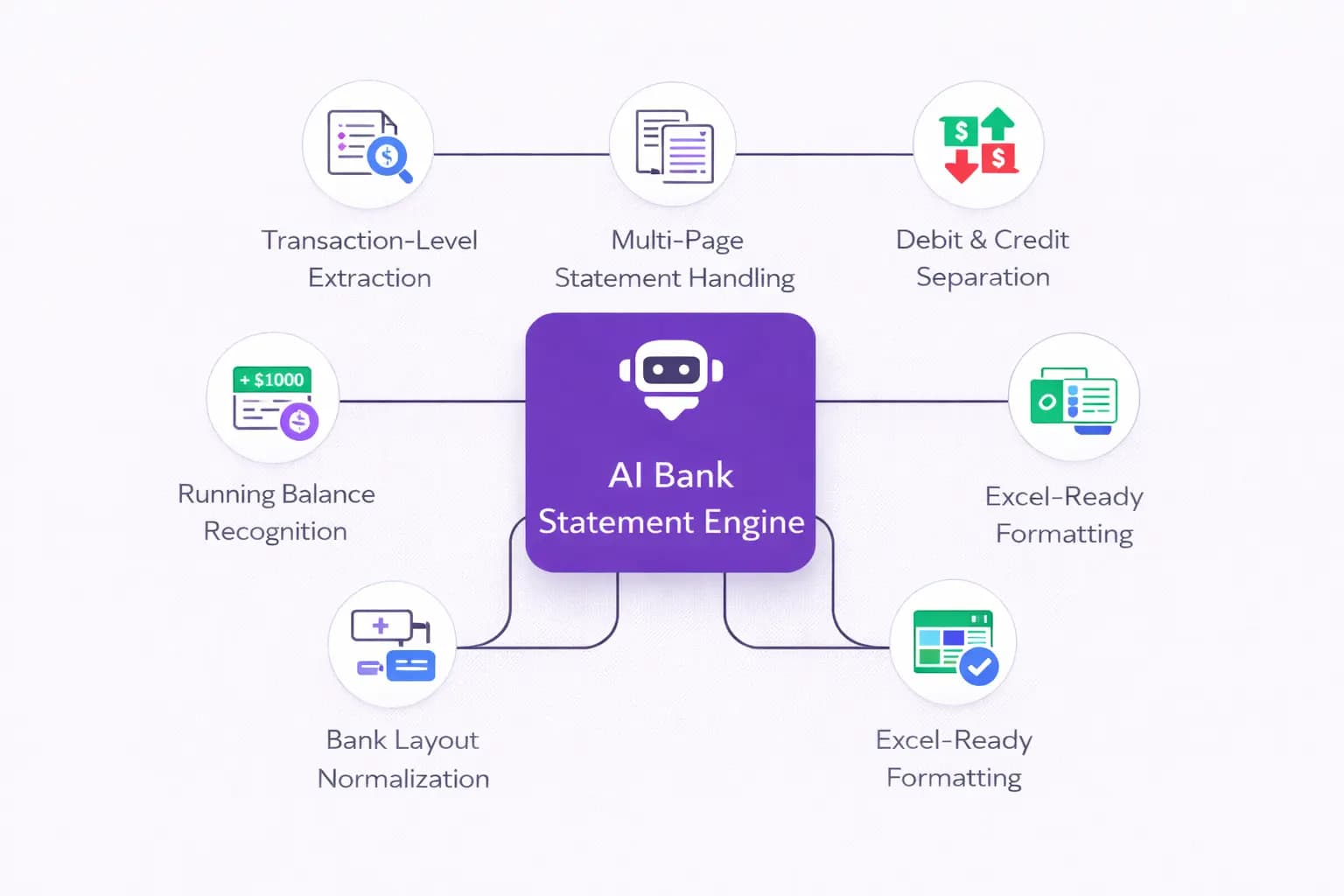
Transaction-Level Data Extraction
The AI detects every transaction row — dates, descriptions, debit, credit, and balances — even when layouts differ across pages.
Multi-Page & Large Statement Handling
Whether your statement is 5 pages or 100 pages long, the AI processes all pages without breaking transaction order.
Debit and Credit Separation
Incoming and outgoing amounts are automatically classified into proper Excel columns, removing manual fixes.
Running Balance Recognition
The AI identifies and aligns balances per transaction to maintain financial accuracy.
Bank-Specific Layout Normalization
Different banks use different formats. The AI standardizes them into one clean, consistent Excel structure.
Excel-Ready Formatting
The output is optimized for formulas, pivot tables, reports, and dashboards — no reformatting needed.
What You Get After Converting Your Bank Statement
Complete transaction data
Every row, every amount, every balance captured accurately.
Clean Excel formatting
Perfect columns for date, description, debit, credit, and balance.
Analysis-ready output
Apply formulas, build reports, or import into accounting tools.
Fast processing
Even large bank statement PDFs convert in seconds.
Who Should Use This Bank Statement to Excel Converter
Small business owners managing expenses
Bookkeepers & accountants handling multiple clients
Financial analysts & BI teams building reports
Auditors & consultants validating transactions
Real estate professionals reviewing payment records
All financial professionals working with bank statements
If you work with bank statements, this tool saves hours every week.
Why Formula Byte Is Better Than Traditional PDF to Excel Tools
Most PDF to Excel converters
- ×Only extract visible tables
- ×Break when layouts change
- ×Require manual cleanup
Formula Byte uses AI to
- Understand bank-specific formats
- Standardize transaction data
- Eliminate formatting fixes
This is not just conversion — it's data preparation.
Free Bank Statement PDF to Excel Converter – What "Free" Means
You can convert bank statements to Excel for free and test accuracy before committing
Upload bank statement PDFs
Test the conversion with your actual bank statements
Convert to Excel
Get accurate, structured Excel output instantly
Review output quality
Evaluate accuracy before deciding to upgrade
No Credit Card Required
Upgrade only if you need higher limits or advanced workflows.
Free Forever
Always
No Hidden Fees
100%
Cancel Anytime
Easy
Secure and Reliable Usage
Secure file handling
No manual access to your data
Works with statements from most banks worldwide
Handles multi-page and large PDFs
Your financial data stays protected.
Stop Wasting Hours on Manual Bank Statement Conversion
Convert PDF bank statements to Excel using AI — fast, accurate, and stress-free.
Start Free with Formula ByteWhat Our Users Say
Join thousands of satisfied users who have automated their bank statement processing
Related Products You May Like
Discover more AI-powered tools to supercharge your productivity
Frequently Asked Questions
Get answers to common questions about our AI Bank Statement Converter